This guide provides a practical B2B decision framework. Final specifications, market obligations, testing scope, labels, packaging and shipment requirements must be confirmed for the exact finished SKU and destination.
LCD Writing Tablets for Homeschool and After-School Programs: Portable Learning Kit Guide
Direct answer: An LCD writing tablet for homeschool or an after-school club works best as a reusable, low-distraction practice surface—not as a replacement for notebooks, books, teachers, or digital learning devices. Build each learner’s kit around one suitably sized tablet, a compatible stylus, clear routines for use and erasing, and activities that ask students to think, sketch, explain, and revise. For organizations, the best purchase is rarely just the lowest unit price: it is the model and supplier process that fit the age group, use setting, labeling, documentation, inspection, and replenishment needs of the program.
Homeschool families value a quick way to practice spelling, number facts, diagrams, and planning without producing a stack of temporary paper. After-school leaders need supplies that are portable, simple to distribute, easy to reset between groups, and realistic to manage with limited staff time. A portable LCD writing tablet for students can meet those needs when expectations are clear and procurement is disciplined.
This guide helps homeschool organizers, education resellers, enrichment providers, and purchasing teams create a usable educational writing tablet kit. It also explains what to ask an OEM/ODM partner before a bulk order for buyers serving the United States, United Kingdom, Germany, or France.
Why LCD writing tablets fit flexible learning programs
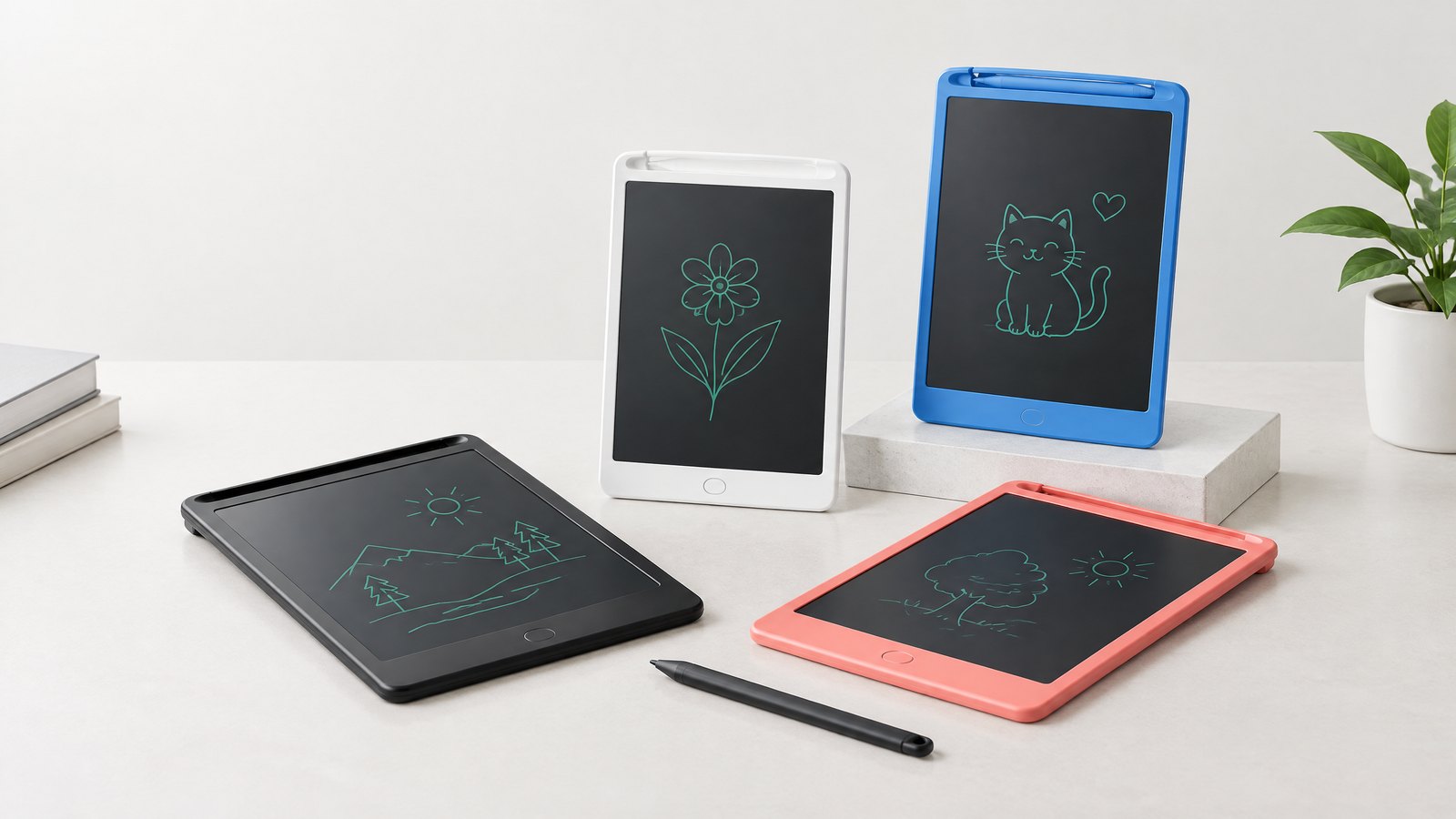
An LCD writing tablet is a thin electronic writing surface that displays marks made with a stylus or finger-compatible input, depending on the design. In many models, a button clears the whole screen. Some versions offer a screen-lock function intended to prevent accidental clearing. Review a physical sample rather than assuming a feature from a product photo.
The central value proposition is fast iteration. A learner can attempt a word, solve a calculation, draw a labeled cycle, receive a prompt from an adult, and clear the surface for another attempt. This makes tablets especially useful for work that is short-lived by design: warm-ups, retrieval practice, rough sketches, mental-math working, game rounds, and exit reflections.
For homeschool settings, the device can move from kitchen table to car ride to library session without a charger, app login, Wi-Fi setup, or account administration when using a basic non-connected model. For after-school programs, it can reduce the time adults spend sharpening pencils, handing out scratch paper, and collecting scraps after a quick activity. These are workflow benefits, not a guarantee of learning outcomes. The quality of the prompt, feedback, and discussion still determines much of the educational value.
In a 2024–25 U.S. survey, NCES reported that many schools offered after-school programming while capacity, funding, and staffing remained constraints.[1] A reusable practice tool does not solve these challenges, but it can make a short instructional block easier to run consistently.
Where a homeschool writing tablet is strongest
Use a homeschool writing tablet when the learning objective benefits from visible thinking but does not require a permanent record. It is a good fit for:
- letter formation and spelling attempts before a child writes a final version on paper;
- counting, place-value drawings, number bonds, and mental-math working;
- sentence rehearsal, word sorting, punctuation checks, and vocabulary sketches;
- maps, timelines, science diagrams, and labeling exercises;
- daily schedules, task choices, read-aloud prediction boards, and family quiz games;
The phrase “before a final version” matters. If a portfolio, assessment, legal record, parent review, or long-form composition needs to be retained, use a notebook, printed worksheet, document camera, photo workflow, or another agreed recordkeeping method. A standard erase-only tablet is deliberately ephemeral.
Where it helps after-school programs
An after-school program has different operational pressures: mixed ages, rotating attendance, shared materials, short sessions, varied staff confidence, and transitions between snack, homework support, enrichment, and pickup. Tablets work well as a one-to-one response surface. Rather than waiting for a student to write on one shared whiteboard, every child can show an answer at the same time.
That allows a facilitator to scan for misconceptions, invite learners to compare approaches, and choose a few anonymous examples to discuss. It also turns movement and game formats into manageable routines. For example, teams can write one clue, one answer, or one sketch, hold it up, then pass the tablet to the next learner after clearing.
Build the portable learning kit around the program, not the gadget
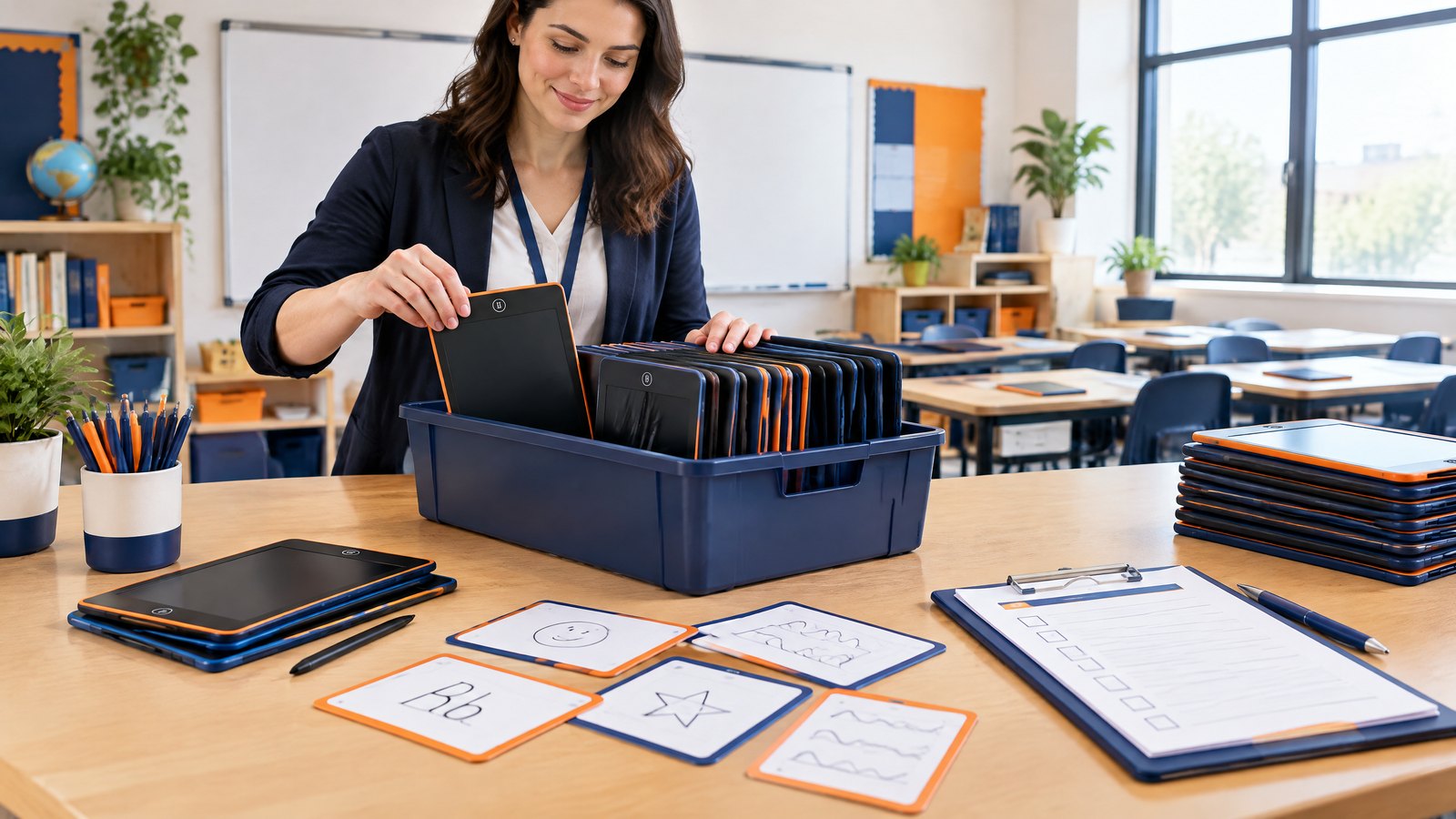
The most useful educational writing tablet kit is not a generic carton of devices. It is a small operating system for a learning routine: a defined age range, activity cards or prompts, storage, ownership rules, cleaning guidance, and a method for reporting faults. Start by writing a one-page use brief before requesting supplier quotations.
Define the use case in five decisions
- Who will use it? State age band, expected fine-motor ability, supervised or independent use, and whether tablets will be shared.
- What must students do? List the highest-value actions: write letters, show a calculation, make a diagram, play a game, or plan a task. Avoid a vague requirement such as “for education.”
- Where will it travel? Consider home rooms, backpacks, club carts, outdoor transfers, cars, camps, or library sessions. Storage and impact risk change with the setting.
- What needs to remain visible? If students must keep work, build a capture or transcription step into the activity. Do not discover this after purchase.
- Who resets and maintains the kit? Name the adult or older student who checks styluses, batteries where applicable, locks, screens, and storage at the end of a session.
A brief like this helps an OEM/ODM manufacturer understand whether a large display is actually necessary, whether a protective case matters, and whether a custom activity-card insert or branded carton would improve adoption. It also prevents a common procurement problem: selecting a model for an attractive feature that the program will not use.
Select features by teaching task
| Teaching or operating need | Feature or question to evaluate | Practical check during sampling |
|---|---|---|
| Younger learners practicing large strokes | Writing area and stylus grip/retention | Ask a child in the target age group to form shapes and retrieve/store the stylus repeatedly. |
| Group rotation and fast transitions | Clear-button operation and screen-lock behavior | Test clearing and lock/unlock with facilitators; write the exact routine on a kit card. |
| Backpacks and mobile stations | Edge construction, weight, stylus attachment, protective storage | Put a sample in the actual pouch or bin and simulate normal daily handling—not destructive testing. |
| Mixed-light rooms | Screen readability and line visibility | View the sample indoors, near a window, and under the lighting used by the program. |
| Shared inventory | Model ID, batch traceability, spare stylus/battery path | Confirm how the supplier identifies production and how a replacement accessory is ordered. |
| Private-label resale or donor distribution | Artwork, packaging, instructions, and required labels | Review final proofs in the destination language(s) before mass production. |
| Reuse across terms | Cleaning guidance, battery access if relevant, and fault process | Have the supplier specify approved cleaning method and what service parts can be supplied. |
LCD writing tablet learning activities that justify the kit
The strongest use is active recall and explanation, not passive doodling alone. Give facilitators a small set of repeatable protocols. A consistent opening prompt, action, reveal, and reset sequence reduces explanations and lets students focus on content.
Literacy, language, and communication activities
See–say–write–check. Show a phonics pattern, high-frequency word, or vocabulary term. Students say it, write it, then compare with a displayed answer. A partner identifies one correct feature and one revision to try. Clear only after feedback.
Sentence surgery. A facilitator dictates or displays a short sentence with one age-appropriate issue: missing punctuation, word order, capitalization, or a weak verb. Students rewrite the corrected sentence, then explain the decision orally. This keeps the tablet tied to language reasoning rather than handwriting alone.
Draw the word. For new vocabulary, students create a quick visual cue and add a label or first sound. Partners guess the term and explain the connection. The activity works with multilingual groups when students can supply a home-language connection and an English label.
Story pause board. Stop during a read-aloud. Learners write a prediction, draw a setting detail, list a question, or show a character’s likely next choice. Holding up tablets lets an adult sample thinking from every participant, not only volunteers.
Mathematics and reasoning activities
Show your strategy. Ask a number problem and explicitly require a diagram, number line, equation, or words—not only an answer. The facilitator scans boards, selects contrasting strategies, and invites learners to explain. This is one of the clearest ways to make an LCD surface support mathematical discourse.
Which one does not belong? Display four shapes, expressions, or representations. Students mark one and give a reason. Multiple defensible answers are useful because they reward evidence and vocabulary instead of speed.
Human number line. Give each student a tablet with a number, fraction, or operation. Learners arrange themselves physically, then use boards to justify the order. This is portable, social, and easy to adapt for whole-group after-school sessions.
Error detective. Provide a worked solution with a purposeful mistake. Learners circle or rewrite the flawed step and identify the correction. It makes mistakes discussable and offers a quick formative check.
Science, social studies, and enrichment activities
Label-and-explain diagrams. Students draw a basic food web, water cycle, plant structure, map key, or historical artifact observation. The goal is not artistic precision; it is the relationship between labels and explanation. Use a paper handout afterward if the finished diagram must be retained.
Claim–evidence–question. After a demonstration, video, reading, or field observation, students divide the screen into three areas: a claim, an observation that supports it, and one question. In a short program session, this creates a visible bridge from experience to talk.
Design sprint sketch. Give a limited challenge—protect an egg, improve a playground route, organize a snack station, or carry books in rain. Students sketch a prototype, label materials, and share a trade-off. The erase-and-revise cycle makes iteration feel normal.
Local map mission. Draw a simple route from the program room to a landmark, add a key, and mark a safety decision. It can support spatial vocabulary, civic awareness, and orientation without needing connected devices.
A 20-minute after-school routine
A workable starter routine has four parts:
- Launch (3 minutes): distribute tablets from numbered bins; state the one learning goal and the clear-button rule.
- Think and write (6 minutes): present one concise prompt; students work independently before discussion.
- Share and improve (8 minutes): learners hold up answers; the facilitator asks “How do you know?” and lets students revise after peer explanation.
- Reset (3 minutes): clear screens, return styluses, place tablets in assigned slots, and report any missing or damaged item.
Avoid turning every session into an answer-holding contest. A tablet is more valuable when students explain, revise, and compare thinking. For children who need additional access support, offer verbal response, partner scribing, pre-drawn templates, or a different writing tool. The device should widen participation, not become another barrier.
Planning a private-label or bulk kit for your homeschool network or program? Email only: info@lcdwritingtablet.com with your target age group, destination market, quantity range, preferred screen size, branding needs, and required delivery window.
Procurement guide: how to work with a bulk LCD writing tablet supplier
For a family purchase, a sample and a straightforward warranty path may be enough. For a district-adjacent program, retailer, distributor, nonprofit, or education brand, procurement must cover product fit, documentation, quality controls, packaging, logistics, and after-sales responsibilities. A bulk LCD writing tablet supplier should be assessed on the clarity and evidence behind these topics, not merely on a catalogue image or a broad statement that a product is “certified.”
Send a precise request for quotation
A useful RFQ contains:
- the target markets: United States, United Kingdom, Germany, France, or a specific subset;
- intended user age range and whether the product is marketed or designed primarily for children;
- estimated order quantity and whether it is a first order, pilot, or repeat program;
- selected model or required dimensions/features, including color options;
- logo, custom mold, artwork, insert, instruction leaflet, carton, or bundle requirements;
- destination language requirements, including German and French where applicable;
- sample needs, approval milestones, inspection expectations, and desired shipment term;
- the documentation and labeling questions the buyer needs answered before production.
Ask the supplier to distinguish clearly between what is included in the base product, what can be customized, what compliance materials are available for the exact configuration, and what remains the importer’s or brand owner’s responsibility. This distinction is essential. A report for a different model, component set, age grade, or packaging configuration may not establish suitability for the product you will place on the market.
Evaluate samples like a program operator
Do not test samples only at a desk. Run a miniature session with the same conditions students and facilitators will face. Write with target-age users, evaluate contrast under actual lighting, test the lock only according to instructions, observe stylus storage, and time distribution and return. Check whether the surface leaves enough room for the chosen prompt and whether a staff member can identify units quickly.
Create a simple sample scorecard with pass/fail fields and notes: visual appearance, writing response, erasing action, lock behavior, edges and assembly, stylus retention, packaging, instructions, labeling, and batch identification. Record the exact sample version. If branding, a different color, a revised battery cover, a new stylus, or a different carton is proposed later, determine whether the change affects your approved configuration or required documentation.
OEM and ODM choices for education buyers
OEM commonly means applying the buyer’s brand, artwork, packaging, or selected configuration to an existing product platform. It may suit a reseller, school-supply brand, or donor project that needs a faster route to a distinct kit identity.
ODM commonly involves more product-development input: adapting a design, feature set, enclosure, accessory system, or packaging concept. It can help when the program has a defined need that standard models do not meet. It also introduces more decisions, validation, lead time, tooling considerations, and change-control risk.
Put the exact scope in writing: approved drawings, color reference, logo position, packaging dieline, instruction content, spare-parts terms, IP permissions, sample sign-off, and rules for material or component substitutions. A Shenzhen OEM/ODM partner should translate a learning-kit brief into reviewable specifications rather than verbal assumptions.
Quality control that connects to real use
A practical QC plan can include a pre-production sample, documented artwork approval, an agreed inspection approach during or before shipment, and a retained reference sample. Define the visible standards you care about: screen cleanliness, enclosure alignment, button action, legible print, correct accessories, packaging count, and readable user instructions. Decide how production lots will be identified so that a problem can be investigated and contained.
Logistics, packing, and replenishment
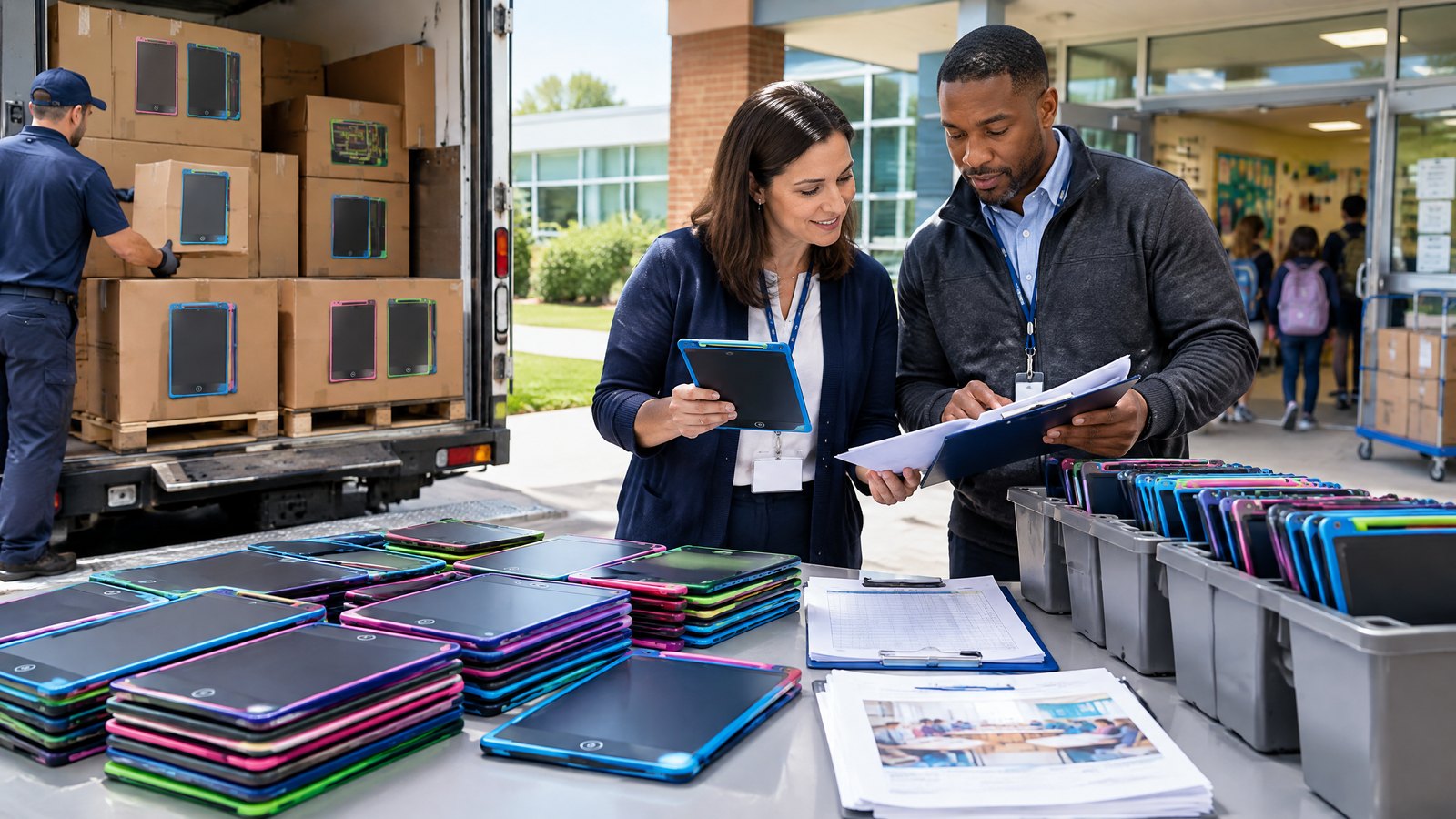
The carton is part of program readiness. Ask whether each unit is individually packed, whether a program kit can be assembled by color or class set, and how master cartons are counted and marked. Verify shipping marks, SKU/barcode needs, country-of-origin markings where applicable, and label placement before production—not after goods are packed.
Safety, compliance, and responsible-use caveats for US, UK, Germany, and France
This section is a procurement checklist, not legal advice and not a declaration that any particular LCD writing tablet is compliant. Product classification and applicable obligations depend on the final product, its intended use and age grading, claims, packaging, destination, and the role each company plays in the supply chain. Consult qualified compliance, customs, and legal advisers for the markets where you place goods.
Start with intended use and age grading
A tablet promoted as a learning aid for children may trigger requirements that differ from an item positioned for a general audience. Do not treat “educational” as a compliance category or assume an electronic writing tablet is automatically a toy—or automatically outside toy rules. Document the intended user, age grading, play pattern, marketing claims, foreseeable use, batteries, small components, and accessories. Then obtain advice on which rules, standards, testing, technical files, declarations, warnings, and labels apply to the final configuration.
For the United States, CPSC guidance says children’s products subject to the tracking-label requirement need permanent, distinguishing marks on the product and packaging, to the extent practicable, with information that can identify the manufacturer/importer or private labeler, production location/date, and batch or other source information.[2] The same guidance notes that a Children’s Product Certificate may be required when other applicable safety rules apply. A buyer should not infer that a tracking label by itself proves conformity.
In the EU, toys sold in the Union must carry CE marking, according to European Commission toy-safety guidance, and manufacturers must demonstrate compliance with applicable requirements.[3] Whether the final writing tablet is regulated as a toy is a classification question, not a marketing shortcut. Germany and France are EU markets, so buyers should plan for applicable EU product, language, and waste obligations early, while confirming national implementation and market-specific responsibilities.
For Great Britain, the UK government states that businesses making, importing, distributing, or selling consumer products are responsible for product safety and labeling requirements. Its guidance calls for appropriate demonstration of compliance, technical documentation, appropriate labeling, and safe-use instructions.[4] Northern Ireland can follow a different framework from Great Britain; do not assume a GB route is automatically sufficient for NI distribution.
Ask for evidence tied to the exact item
Before a purchase order, ask which documents are available for the exact model and configuration and have the relevant professional review them. Depending on the product and market, this may involve test reports, declarations, technical documentation, risk assessment, battery information, materials information, warning/instruction artwork, and traceability records. Confirm that the documentation matches the product’s screen size, battery type, enclosure, stylus, age grade, artwork, packaging, and destination.
Avoid vague claims such as “CE available,” “EN tested,” or “CPSIA compliant” without documents, scope, dates, laboratory information, and configuration matching. Likewise, do not print a mark, warning, or certification statement merely because a supplier suggests it. The party placing the product on the market may have responsibilities that cannot be outsourced by a label alone.
Plan for batteries, e-waste, and end of life
Many LCD writing tablets use an internal or replaceable battery. Buyers should receive clear information about the battery configuration, safe replacement where relevant, and instructions for normal use. Do not allow children to handle batteries or disassemble products unless the designed use, age grading, instructions, and supervision arrangements support it.
Electronic products also have an end-of-life responsibility dimension. The European Commission explains that WEEE rules seek separate collection and proper treatment of waste electrical and electronic equipment, while related rules address hazardous substances.[5] Buyers selling or distributing into EU markets should determine producer-registration, financing, marking, reporting, and take-back obligations with local expert support; these duties can vary by country and supply-chain role. A reusable learning tool has less value if a program lacks a responsible plan for damaged or end-of-life units.
Use and supervision limits to communicate to families and staff
Use simple program rules: follow instructions, remove damaged units from use, do not force or remove parts, return missing styluses to an adult, and clean only as instructed. Use appropriate supervision for young learners. Do not make health, developmental, environmental, or “paperless” claims that are not substantiated for the precise product and usage pattern.
FAQ: LCD writing tablets for learning kits
Are LCD writing tablets good for homeschool?
They are useful for temporary practice, visual explanations, quick games, and portable routines. A homeschool writing tablet is not ideal for work that must be stored, graded over time, or shared digitally unless the family adds a separate capture or transcription process. Choose it for the type of thinking it makes easier, not as a universal notebook replacement.
What should be included in an educational writing tablet kit?
At minimum, define the tablet, compatible stylus, storage method, brief usage rules, and a maintenance/reporting process. For groups, add numbered bins or sleeves, activity prompts, inventory labels, a fault log, and approved cleaning guidance. The correct kit contents depend on age, setting, travel, and whether work must be retained.
Which after school program supplies should be prioritized with tablets?
Prioritize the operating supplies that prevent downtime: organized storage, replacement accessories if available, printed prompt cards, visual routine signage, and a system for marking shared units. Pairing tablets with quality questions, books, manipulatives, paper for permanent records, and trained facilitation is more valuable than buying more devices without a plan.
Can an LCD writing tablet replace paper worksheets?
It can replace some disposable, short-lived practice sheets. It should not replace worksheets or notebooks when the learner needs a permanent record, a detailed template, accessibility adaptation unavailable on the tablet, or a submission artifact. Use the right medium for the learning and documentation requirement.
How should a buyer compare a bulk LCD writing tablet supplier?
Compare product samples, clarity of specifications, willingness to document configuration changes, QC process, traceability, accessory availability, packaging control, communication, and the relevance of compliance documents to the final item and market. A lower quote may not be lower total cost if it omits artwork review, inspection, replacement planning, or correct labeling.
Are tablets safe for young children?
Safety depends on the exact product, intended age, design, instructions, supervision, and applicable rules—not on the generic product name. Evaluate hazards and legal obligations for the final configuration and market, obtain appropriate documentation, and communicate safe-use rules. If a unit is damaged or a component is loose, remove it from use pending assessment.
Can an OEM/ODM tablet be branded for a school-supply or education company?
Often, an OEM/ODM route can support branded artwork, packaging, instructions, colors, bundling, or more extensive development, subject to agreement. Confirm the final specification, IP permissions, compliance ownership, artwork proofs, language needs, minimum quantities, sample approval, and change-control process in writing before production.
Conclusion: make portability serve purposeful learning
A portable LCD writing tablet for students earns its place in a homeschool or after-school kit when it supports a clear action: retrieve, represent, explain, revise, or collaborate. It is not a substitute for skilled facilitation, accessible materials, permanent student records, or a responsible product-compliance process. Start with the learning routine, test a sample in the real environment, and treat storage, traceability, documentation, and replenishment as part of the product.
For US, UK, Germany, and France buyers sourcing at scale, a careful supplier conversation should connect educational use, physical design, exact configuration, packaging, destination-market obligations, and practical after-sales support. That is how an attractive device becomes a dependable program resource.
Ready to discuss a custom or bulk learning-kit brief? Email only: info@lcdwritingtablet.com with your destination market, target users, quantity range, model requirements, private-label needs, and required documentation questions.
Image Plan
-
Purpose: Establish the article’s core use case—portable, guided learning rather than passive device use.
Placement: Directly below the opening answer.
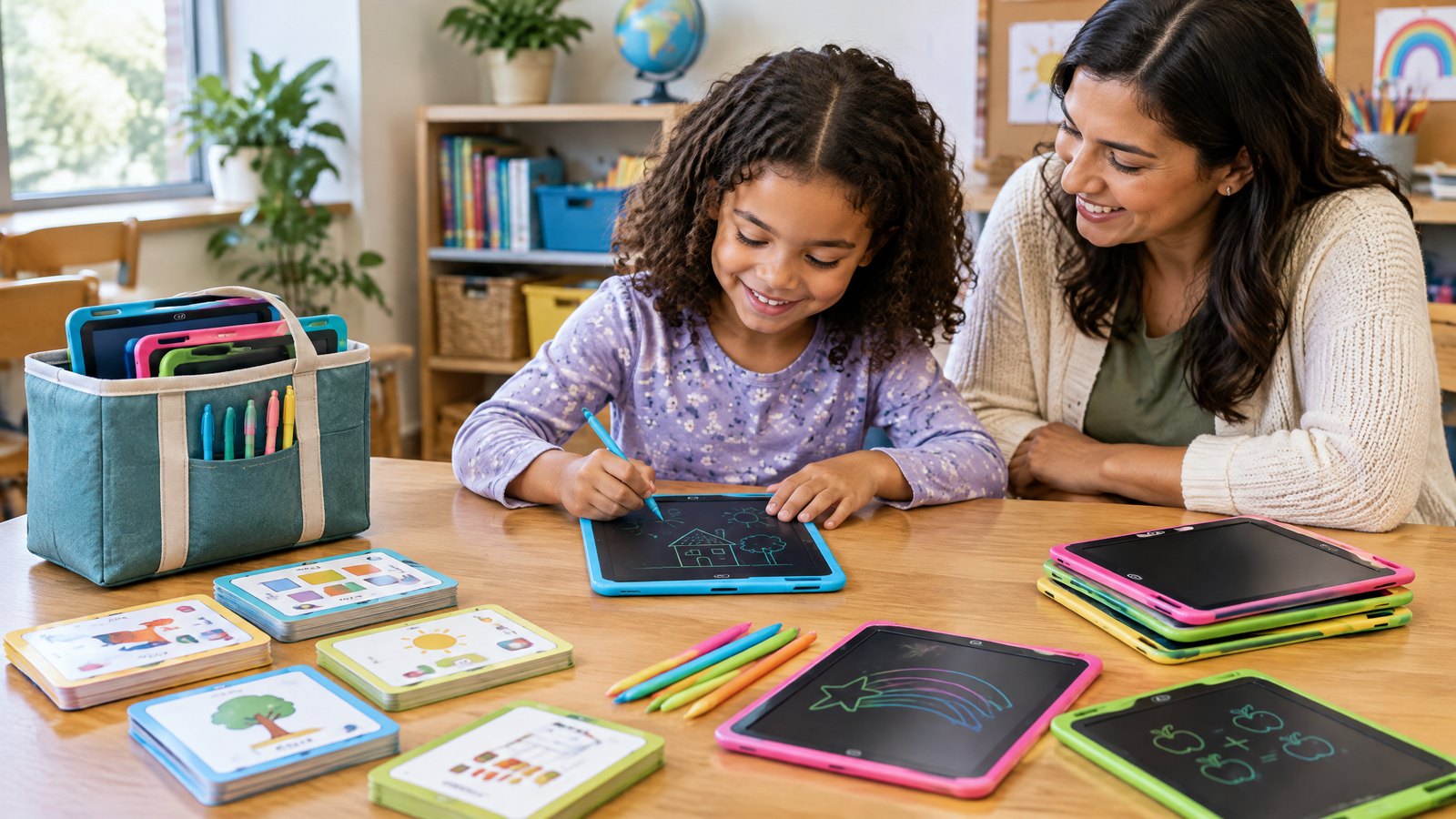
Caption: “A reusable writing surface can support quick practice, explanation, and revision in a homeschool learning routine.”
ALT: “Parent facilitating a homeschool math activity with a child using an LCD writing tablet at a bright kitchen table.”
English AI prompt: “Authentic editorial education photograph, a parent and elementary-age child at a tidy kitchen table using a slim LCD writing tablet for a simple math strategy drawing, child holding stylus, paper notebook and books nearby, natural morning light, diverse family, realistic product proportions, no visible logos, no text overlay, warm but professional, landscape 16:9.” -
Purpose: Show the operational benefit of simultaneous responses in an after-school setting.
Placement: In the section “Where it helps after-school programs.”
Caption: “Shared routines let facilitators see many students’ thinking at once.”
ALT: “Small after-school group holding LCD writing tablets with different math answers while a facilitator reviews them.”
English AI prompt: “Realistic after-school enrichment classroom, six children aged 8 to 11 seated around tables holding up unbranded LCD writing tablets with simple handwritten math diagrams, facilitator scanning responses encouraging discussion, diverse group, organized bins in background, no legible personal data, documentary education photography, landscape 16:9.” -
Purpose: Make the kit concept concrete for program managers and buyers.
Placement: After “Build the portable learning kit around the program, not the gadget.”
Caption: “A program-ready kit includes storage, prompts, ownership cues, and a simple reset routine.”
ALT: “Top-down view of an organized educational writing tablet kit with tablets, styluses, activity cards, labeled storage tray, and checklist.”
English AI prompt: “Top-down flat lay of a practical educational writing tablet kit for an after-school program: six unbranded LCD writing tablets, matching styluses, illustrated activity prompt cards without readable text, numbered storage tray, simple check-in checklist, neutral blue and yellow accents, clean realistic product photography, high detail, 4:3.” -
Purpose: Reinforce procurement discipline and configuration review without implying certification.
Placement: In “Evaluate samples like a program operator.”
Caption: “Review the exact sample, accessories, packaging, and instructions before approving a bulk configuration.”
ALT: “Procurement team inspecting LCD writing tablet samples, styluses, packaging mockup, and quality checklist on a meeting table.”
English AI prompt: “Professional procurement review meeting in a modern office, two buyers inspecting unbranded LCD writing tablet samples, styluses, plain packaging mockup, printed quality checklist with non-legible text, close attention to product details, no compliance logos, realistic commercial photography, landscape 16:9.”
References
- National Center for Education Statistics (NCES), “Most U.S. Public K–12 Schools Offer After-School Programs but Many Cannot Accommodate All Students Who Want to Participate”.
- U.S. Consumer Product Safety Commission, “Tracking Label Business Guidance”.
- European Commission, “Toy Safety in the EU”.
- UK Government, Office for Product Safety and Standards, “Product Safety Advice for Businesses”.
- European Commission, “Waste from Electrical and Electronic Equipment (WEEE)”.
Continue with the next sourcing decision.
Use these internal links to compare products, check common buyer questions, review compliance preparation, or send your requirements to the factory.
Turn this sourcing plan into a product brief.
Share your target market, product requirements, packaging preference and estimated volume for a practical OEM / ODM discussion.